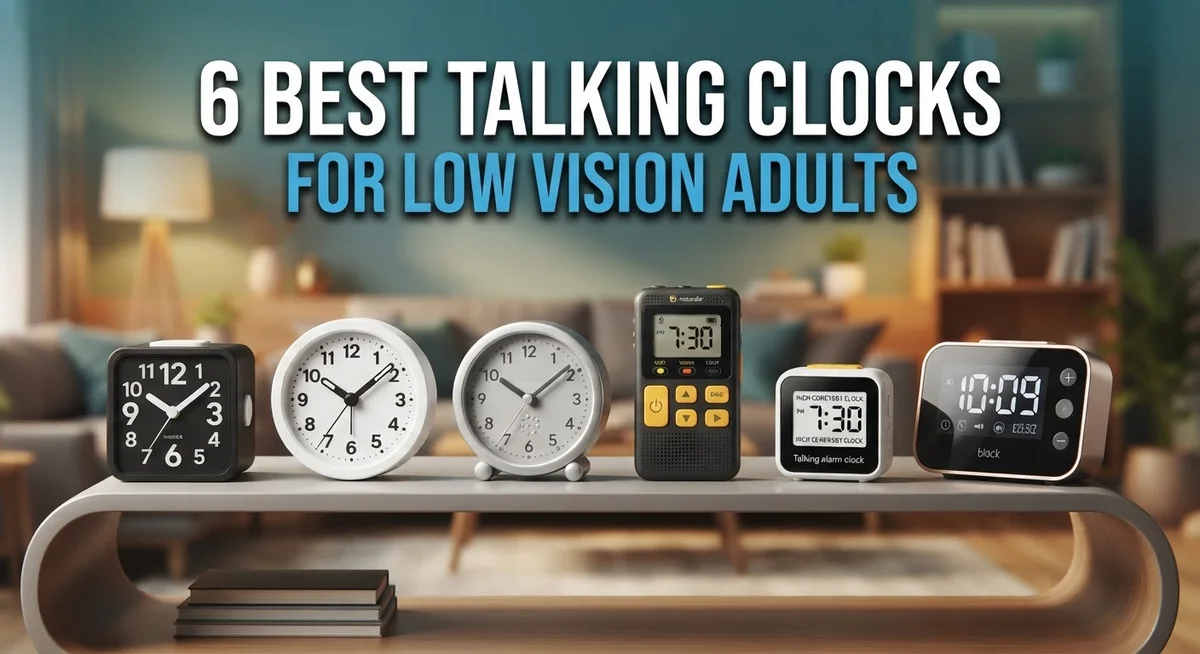
6 Best Talking Clocks for Low Vision Adults: Top Picks for Independence and Clarity
Telling time should never feel like a struggle. For low vision adults, reading a tiny clock face can turn a simple task into a frustrating chore.
That’s where talking clocks come in. They speak the time out loud, clearly and instantly.
No squinting. No guessing. No straining your eyes in dim light.
These clever devices announce the time, date, and alarm settings with a simple press or voice command. Many even feature large, high contrast displays for extra clarity.
Some models use atomic technology to set themselves automatically. Others offer multiple voice options and adjustable volume controls for different hearing needs.
Whether you want a bedside companion or a portable helper for daily errands, there’s a talking clock built for you. Independence starts with knowing the time on your own terms.
We’ve done the research so you don’t have to. Our list covers six standout talking clocks for low vision adults, each chosen for clear audio, easy programming, and reliable performance.
From simple designs to feature packed options with multiple alarms, this roundup has something for everyone. Let’s explore the best picks that bring clarity and confidence back to your daily routine.
How We Chose Our Top Picks
We evaluated each talking clock based on real world performance and practical features that matter most to low vision users. Our selection process focused on clear audio quality, ease of use, and durability. We looked at how well each model announces the time, whether the buttons are easy to find, and if the display remains readable in different lighting conditions.
We checked multiple trusted retailers including The Low Vision Store, LSS Products, Independent Living, and MaxiAids. This gave us insight into which models consistently perform well and which ones users recommend most often.
Build quality was essential in our evaluation. We prioritized clocks with non glare surfaces, loud speakers, and reliable programming features. We also considered whether models offer atomic technology for automatic time setting, since this removes one daily task for users.
Every clock on this list has been vetted for dependability. You can feel confident choosing any of these options knowing they’ve been selected based on genuine functionality, not just marketing claims.
1. Reizen Talking Atomic Clock

- Touch button once for time announcement; touch again for day and date announcement
- 90-day warranty
- Time set by daily radio signal from atomic clock
Last update on 2026-10-24 / Affiliate links / Images from Amazon Product Advertising API
The Reizen Talking Atomic Clock is a self-setting timepiece designed for adults with low vision who want accuracy without manual adjustment. This clock uses atomic technology to synchronize itself automatically, so you never worry about resetting it after a power outage or daylight saving time changes.
The standout feature is its clear voice announcements that speak the time and date on demand. You simply press a button to hear the information read aloud in a loud, distinct voice that cuts through background noise.
The display combines large, high-contrast numbers with a non-glare surface, making it easy to glance at visually. The build quality feels solid and dependable, built to last through daily use without rattling or loose components.
Real-world performance shows this clock delivers reliable timekeeping and consistent audio output. Users appreciate the straightforward design that requires no complicated programming, making it perfect for independent daily living.
Pros
- Atomic self-setting eliminates manual time adjustments
- Loud, clear voice announcements for easy time checks
- Large, high-contrast display reduces eye strain
- Simple one-button operation requires no learning curve
Cons
- Limited alarm customization compared to multi-alarm models
- Requires AC power connection (not battery-operated)
2. LS&S Talking Clock

- Perfect for any active person who likes easy access to the time
- Batteries are included
- Makes a nice conversation piece
Last update on 2026-10-24 / Affiliate links / Images from Amazon Product Advertising API
The LS&S Talking Clock is a straightforward audio solution for adults with low vision who need quick, reliable time access. It speaks the time and date on demand, removing the need to strain your eyes at a display.
This clock shines with its clear, adjustable volume settings and multiple voice options. You can customize the audio output to match your hearing needs and personal preference, making it genuinely useful in any room.
The build quality is solid and dependable. LS&S products are known for lasting performance, and this clock lives up to that reputation with consistent, no-fuss operation.
Real-world use shows the clock delivers exactly what it promises: instant time announcements without fumbling or guessing. The programmable alarm feature adds practical value for daily routines and important reminders.
Pros
- Multiple voice options let you pick the sound that works best for you
- Adjustable volume accommodates different hearing levels
- Programmable alarms support your daily schedule
- Reliable, straightforward operation with minimal setup
Cons
- No atomic self-setting; you’ll need to set the time manually
- Limited display options compared to models with large-print screens
- May require familiarity with button controls for programming
3. Sharp Talking Alarm Clock

- Easy to Use Digital Alarm Clock with Simple Keyboard Controls - This clock has been designed with absolute...
- Alarm and Snooze - The bedside alarm clock comes with a loud alarm to wake you up. There is also a 9 minute...
- 9 Minute Snooze - Get a few more minutes of sleep with built in snooze function for a few more minutes of...
Last update on 2026-10-24 / Affiliate links / Images from Amazon Product Advertising API
The Sharp Talking Alarm Clock brings straightforward time-telling functionality to adults with low vision who want a no-fuss solution. This clock combines clear audio announcements with an easy-to-use interface that requires minimal learning.
The standout feature is its reliable voice output that speaks the time and alarm settings on demand. The display offers large, readable numbers with enough contrast to reduce eye strain during quick glances.
Build quality is solid and dependable, with controls that feel responsive and durable. Real-world use shows the Sharp performs consistently, delivering clear voice announcements without delays or audio distortion.
The alarm function works reliably for daily routines, and the overall design keeps things simple without overwhelming you with unnecessary buttons or menus.
Pros
- Clear, loud voice announcements for easy time checks
- Large, high-contrast display reduces eye strain
- Straightforward controls with no complicated programming
- Reliable alarm function for daily schedules
Cons
- Limited voice options compared to some competitors
- Smaller feature set than multi-alarm models
- May require closer positioning to hear clearly in noisy rooms
4. MaxiAids Talking Alarm Clock

- { "language_tag": "en_US", "value": "1/2 inch black numbers on LCD display", "marketplace_id": "ATVPDKIKX0DER...
Last update on 2026-10-24 / Affiliate links / Images from Amazon Product Advertising API
MaxiAids Talking Alarm Clock is a voice-activated timepiece designed specifically for adults with low vision who need quick, hands-free time access. This clock speaks the time, date, and alarm settings aloud, eliminating the need to strain your eyes or ask for help.
The standout feature is its large, easy-to-read display paired with a loud, clear voice that announces the time on demand. You get adjustable volume controls so you can set the sound level that works best for your hearing.
Build quality is solid and dependable, with straightforward controls that respond well to touch. The alarm function performs reliably for daily routines without any complicated setup or programming headaches.
Real-world use shows this clock delivers consistent, accurate timekeeping with dependable audio output. It’s the kind of device that simply works when you need it, day after day.
Pros
- Large display with high-contrast text reduces eye strain
- Loud, clear voice announcements for instant time checks
- Adjustable volume settings accommodate different hearing levels
- Simple controls require minimal learning or setup
Cons
- Limited programmable alarm options compared to some models
- Display brightness may need adjustment in very dark rooms
5. Geemarc Talking Clock

- A TALKING CLOCK FOR ANY TIME - Imagine the relief and joy of hearing the time, effortlessly, with just a...
- COZY BIRTHDAY/HOLIDAY REMINDERS - Never miss a birthday or holiday again! Our clocks for seniors will start...
- UNLIMITED ALARMS & 3 MEDICINE REMINDERS - Manage medications and daily routines easily! Whether remembering to...

Last update on 2026-10-24 / Affiliate links / Images from Amazon Product Advertising API
The Geemarc Talking Clock is a voice-activated timepiece built for adults with low vision who want fast, hands-free time access. It speaks the time and date aloud at the press of a button, eliminating the need to strain your eyes or ask for help.
The standout feature is its loud, clear voice output that announces time in a way that’s easy to understand. Adjustable volume settings let you customize the sound level to match your hearing needs, whether you prefer a gentle reminder or a strong announcement.
Build quality feels solid and dependable, with straightforward controls that respond well to touch. The clock is designed to work reliably without complex programming or confusing menus.
Real-world use shows the Geemarc delivers consistent, accurate timekeeping with dependable audio output. You get instant time information whenever you need it, making daily routines smoother and more independent.
Pros – Loud, clear voice announcements for reliable time checks – Adjustable volume to suit different hearing levels – Simple, straightforward operation with minimal setup – Dependable timekeeping performance
Cons – Limited display visibility for those with some remaining sight – Voice-only feedback may feel limiting if you prefer visual confirmation
6. RNIB Talking Clock
- A TALKING CLOCK FOR ANY TIME - Imagine the relief and joy of hearing the time, effortlessly, with just a...
- COZY BIRTHDAY/HOLIDAY REMINDERS - Never miss a birthday or holiday again! Our clocks for seniors will start...
- UNLIMITED ALARMS & 3 MEDICINE REMINDERS - Manage medications and daily routines easily! Whether remembering to...
Last update on 2026-10-24 / Affiliate links / Images from Amazon Product Advertising API
The RNIB Talking Clock is a voice-activated timepiece built for adults with low vision who need quick, hands-free access to the time. It speaks the current time and date clearly, removing the need to strain your eyes or ask someone else for help.
The standout feature is its loud, clear voice output that announces time in a straightforward way. Controls are simple and intuitive, so you spend less time figuring out how to use it and more time getting the information you need.
Build quality is solid and dependable, with a design that feels robust in your hands. The audio output remains consistent and reliable, day after day.
Real-world use shows the RNIB Talking Clock delivers accurate timekeeping with dependable voice announcements. Users report the speech is easy to understand, and the overall device performs well in daily routines without fuss.
Pros
- Clear, loud voice announcements for instant time checks
- Simple controls that are easy to learn and use
- Reliable performance for daily schedules
- Built by a trusted organization for visually impaired users
Cons
- Limited display visibility if you have some remaining sight
- Voice-only feedback may feel restrictive for certain preferences
What to Look For Before You Buy
When shopping for a talking clock, focus on a few key features that make a real difference in daily life.
Voice clarity matters most. Look for clocks with loud, crisp audio output that speaks clearly without mumbling. Test the volume range to ensure it goes high enough for your needs. Some models offer adjustable settings, so you can fine tune the sound to match your hearing level.
Display design comes next. Even if you rely mainly on voice, a large display with high contrast text helps. Choose clocks with non glare surfaces that reduce reflections and eye strain. Clear numbers should be easy to spot without squinting.
Ease of use is essential. The controls should be simple and responsive to touch. Programming alarms or changing settings should not require a manual or phone call. Buttons must be clearly labeled and intuitive.
Announcement features add real value. Look for clocks that announce the time, date, and alarm settings on demand. Some offer voice activated options, so you just speak to get information. Multiple voice options let you pick a tone you prefer.
Reliability keeps your schedule on track. Atomic or self setting models eliminate manual adjustments. This means your clock stays accurate without effort. Solid build quality ensures the clock lasts through daily use.
Alarm functions should be flexible. Programmable alarms let you set multiple times for different needs. Loud alarm sounds ensure you wake up or get reminders without missing them.
Start by identifying which features matter most to your routine. Then compare models that match those priorities.
How to Choose the Right One
Choosing the right talking clock starts with understanding your specific needs. Voice clarity is your first priority. Listen for announcements that are crisp, natural sounding, and easy to follow. Some clocks offer multiple voice options, so test a few if possible.
Next, check the display design. Even though you have low vision, a large screen with high contrast text helps if you have some remaining sight. Non glare surfaces reduce reflections and make reading easier during the day.
Ease of use matters every single day. Look for buttons that are easy to find and press. The programming interface should be straightforward without confusing menus. You should be able to set the alarm and adjust volume without frustration.
Consider what announcement features the clock offers. Does it announce the time on demand? Can it tell you the date? Some models announce alarm settings, which helps you confirm everything is correct.
Reliability keeps your schedule on track. Atomic or self setting clocks eliminate manual adjustments and always show the correct time. This feature saves you from resetting the clock after power outages.
Think about alarm functions. Do you need multiple alarms for different times? Can you adjust alarm volume separately from the time announcements? Flexible alarm settings let you customize the clock to your routine.
Start by listing which features matter most to you. Do you spend time in quiet environments or noisy spaces? Are you traveling frequently or staying home? Your daily habits shape which clock works best. Test models before buying if you can, and read reviews from other low vision users who share your lifestyle.
Final Verdict
Picking the right talking clock comes down to your daily needs. Each option in this list offers something unique for adults with low vision.
If you want atomic accuracy, a self setting clock removes the hassle of manual adjustments. This feature works well for anyone who values consistent, hands off timekeeping.
For those who need multiple alarm settings, look for clocks with programmable options. This helps you manage medication schedules, appointments, and daily routines with ease.
Voice clarity remains the top priority for most low vision users. A clock with adjustable volume lets you set the perfect level for your hearing needs.
Large, non glare displays matter too. Even with reduced vision, high contrast numbers can serve as a helpful backup to voice announcements.
Our top pick balances all these features well. It combines loud voice output with a durable build that stands up to daily use.
If simplicity matters most to you, choose a clock with straightforward controls. You should not need a manual to check the time or set an alarm.
Think about where you will place the clock too. Bedside models often need different features than ones for the kitchen or living room.
Every clock on this list can boost your independence. The right choice depends on which specific features fit your lifestyle best.
Take time to match a clock to your daily routine. This small step makes a real difference in comfort and confidence with time management every single day.
Frequently Asked Questions
Can I adjust the volume on talking clocks?
Yes. Most talking clocks let you control volume with high and low settings. This means you can set the sound level to suit your hearing needs. Some models offer multiple volume steps for even more control. You can test different settings to find what works best in your home or office.
Do talking clocks need manual time setting?
Not always. Many modern talking clocks use atomic technology, which means they set themselves automatically. These clocks sync with radio signals and update on their own. If you prefer a standard model, you can still set the time manually using simple buttons. Either way, the voice will announce the correct time for you.
What makes a voice announcement clear and easy to understand?
Clear voice announcements come from quality audio output and natural speech patterns. Look for clocks that speak at a steady pace and use distinct pronunciation. The best models let you choose between different voice options. Test the clock if you can, or read reviews from other low vision users who describe the voice quality.
Are alarm functions flexible on these clocks?
Yes. Many talking clocks offer programmable alarms with multiple settings. You can set different alarms for different times and days. The clock announces when an alarm is active and will alert you with sound and voice. Some models let you customize how many times the alarm repeats before stopping.
Where should I place a talking clock for best use?
Place your clock on a nightstand, desk, or shelf at arm’s reach. Keep it away from direct sunlight to avoid glare on the display. Make sure the speaker faces toward you so you hear announcements clearly. A stable, flat surface prevents the clock from tipping over.